
PSCA E Challan | Check Download Traffic Challan Online 2026:
PSCA E Challan Punjab is a digital traffic challan verification system that allows vehicle owners across Punjab to check, view, and download e-challans online issued through the Punjab Safe Cities Authority (PSCA) in under 60 seconds. Using advanced surveillance cameras and AI-powered systems, traffic violations are detected automatically and challans are issued digitally against vehicle registration numbers.

Whether you own a motorcycle, car, or commercial vehicle in Lahore, Faisalabad, Multan, Rawalpindi, Sargodha or any Punjab city, this free online service provides 24/7 access to your traffic fine records. Check your PSCA e challan online instantly across all Punjab cities.
Why check your online e challan regularly? Unpaid traffic challans can block your vehicle registration renewal, result in compounding late fees, and may lead to legal proceedings. Punjab Safe Cities Authority has installed thousands of ANPR cameras across the province that automatically detect violations from over-speeding to signal jumping and issue digital challans linked to your vehicle registration.
What is PSCA E-Challan?
PSCA e-challan is a digital traffic ticket issued electronically by the Punjab Safe Cities Authority using automated surveillance systems. Instead of manual challans issued by traffic wardens, PSCA e-challans are generated through ANPR (Automatic Number Plate Recognition) and AI integreted cameras installed at major roads, intersections, and highways capture violations in real-time and generate electronic challans that are linked to vehicle registration numbers.
The PSCA E Challan system captures traffic violations such as over-speeding, red-light jumping, wrong-lane driving, helmet or seatbelt violations, and more. Once detected, the challan is generated against the vehicle number and can be checked online through the official PSCA portal at echallan.psca.gop.pk. The e challan check online system eliminates the need for physical traffic police stops in many cases. Instead of receiving a paper challan, vehicle owners are notified via SMS when a violation is detected and ticket is send to vehicle owner address through courier.
The Punjab Safe Cities Authority (PSCA) is a government body established to improve urban safety, traffic discipline, and law enforcement through smart city technologies across province.
Key features of the PSCA e challan system:
- Automated violation detection through AI-powered surveillance cameras
- Instant digital record linked to vehicle registration and owner CNIC
- Multiple checking methods: vehicle number, CNIC, or Chassis number.
- Online payment options through JazzCash, Easypaisa, banks, and ATMs
- Downloadable PDF receipts for record-keeping
- Coverage expanding across all major Punjab cities
E-challans carry the same and some more legal validity as manual traffic tickets and must be paid within the specified timeframe to avoid penalties. The system has significantly improved traffic rule compliance and reduced corruption in traffic management.
How to Check PSCA E-Challan Online:
Checking your e challan check punjab record is free, fast, and available 24/7 through multiple methods. You don’t need to visit any traffic office as the entire process can be completed from your smartphone or computer in under two minutes. Below are three official methods to verify if you have any pending traffic fines.
Check by Vehicle Registration Number:
The most common method to check e challan online is using your vehicle’s registration number. This method works for all vehicle types registered in Punjab.
Step-by-step process:
- Visit the official PSCA e-challan portal at echallan.psca.gop.pk
- Select the “Check by Vehicle Number” option from the menu
- Enter your complete vehicle registration number (example format: LHE-1234 for Lahore)
- Type the security code (CAPTCHA) displayed on screen
- Click the “Submit” or “Check Challan” button
- View your challan details if any violations are found
- Download the PDF copy of your e-challan for your records
- Note the PSID number and payment deadline
Pro tip: Keep your vehicle registration certificate handy to ensure you enter the correct registration number format.
Check by CNIC or Chassis Number:
If you own multiple vehicles or can’t remember specific registration numbers, you can check e challan by cnic or by entering the unique chassis number to view all vehicles registered under your ownership.
Step-by-step process:
- Navigate to the PSCA e-challan portal at echallan.psca.gop.pk
- Choose the “Check by CNIC” or “Chassis number” option
- Enter your complete 13-digit CNIC number without dashes (example: 3520212345678)
- Complete the security verification code
- The system will display all vehicles registered under your CNIC
- Check the challan status for each vehicle individually
- Download receipts for any pending challans
This method is particularly useful for families with multiple vehicles or business owners managing fleet vehicles.
Types of Vehicles Covered:-
The PSCA e challan system applies to all registered motor vehicles operating on Punjab roads, regardless of size, type, or purpose. Every vehicle with a registration number is monitored by Safe City cameras and subject to automated violation detection.
Motorcycle E-Challan Check:
Motorcycles and two-wheelers represent the largest category of vehicles in Punjab and account for a significant percentage of traffic violations. The bike challan check system uses ANPR technology specifically calibrated for two-wheeler number plates.
Common motorcycle violations:
- Riding without helmet (rider and passenger)
- No valid driving license
- Overspeeding in urban areas (exceeding 40 km/h limits)
- Signal jumping and red light violations
- Riding in car-only lanes
- Triple-riding (passenger limit violations)
- Modified exhausts (silencer removal)
- Expired or no registration plates
Typical motorcycle fine amounts: Rs. 500 to Rs. 2,000 depending on violation severity. Helmet violations typically carry Rs. 500 fines, while license-related issues may result in Rs. 1,500+ penalties.
How to check motorcycle e-challan: Use your bike’s registration number (format varies by city—LHE, FSD, RWP, etc.) on the PSCA portal. Since motorcycles often have smaller, less visible plates, ensure your registration number is correctly displayed to avoid wrongful challans.
Motor Car E-Challan Check:
Private cars, sedans, and hatchbacks are monitored for both moving violations and equipment-related infractions. The car challan online system captures high-resolution images of violations for verification.
Common car violations:
- Overspeeding on highways and urban roads
- Not wearing seatbelts (driver and front passenger)
- Tinted windows beyond legal limit (70% light transmission required)
- Signal jumping and one-way violations
- Wrong lane usage (slow lane violations)
- Mobile phone usage while driving
- Illegal parking in no-parking zones
- Number plate violations (fancy plates, obscured plates)
Fine structure for cars: Ranges from Rs. 1,000 for minor violations to Rs. 5,000+ for serious infractions. Overspeeding fines increase based on speed excess (Rs. 1,000 for 10-20 km/h over limit, Rs. 3,000 for 20-30 km/h over, Rs. 5,000+ for excessive speeding).
Private vs company vehicles: Both are treated identically. If the car is registered under a company name, the challan appears when checking by vehicle registration number. Company fleet managers can check all vehicles using the registered organization’s details.
Commercial Vehicle E-Challan Check:
Heavy vehicles, goods transporters, buses, and commercial transport face stricter regulations due to safety implications. The commercial vehicle challan system monitors compliance with route restrictions, weight limits, and special licensing requirements.
Commercial vehicle categories:
- Buses (public transport and private coaches)
- Goods transport vehicles (trucks, loaders)
- Tankers and specialized vehicles
- Pickup trucks and commercial vans
- Tractor-trolleys on highways
Common commercial violations:
- Route violations (restricted areas for heavy vehicles)
- Overloading beyond permitted weight limits
- Driving during restricted hours (night bans)
- Invalid commercial licenses or permits
- Missing fitness certificates
- Unsafe cargo loading
- Overspeeding with heavy loads
Commercial vehicle fines: Substantially higher than private vehicles, ranging from Rs. 3,000 to Rs. 20,000+ depending on violation type. Overloading violations carry steep penalties (Rs. 10,000+) due to road damage and safety risks.
Fleet management: Commercial operators with multiple vehicles should check regularly by their business CNIC or use PSID tracking for each vehicle in their fleet.
Other Vehicles
The e-challan system also covers:
- Rickshaws (auto-rickshaws): Subject to route compliance, overspeeding, and passenger limit violations. Typical fines: Rs. 500-1,000.
- Qingqi rickshaws: Monitored for safety violations and operating permits. Fines: Rs. 500-1,500.
- Loaders (Mazda, Shehzore): Checked for overloading and route compliance. Fines: Rs. 2,000-5,000.
- Delivery vehicles: Subject to commercial vehicle rules if operating on commercial permits.
All registered vehicles, regardless of type, must maintain valid documentation, follow traffic rules, and respond to e-challans promptly to avoid escalating penalties.
Common Traffic Violations in Punjab:-
The PSCA Safe City cameras are programmed to automatically detect and record various types of traffic violations. Understanding common violations helps vehicle owners avoid fines and maintain road safety. Below are the most frequently issued e-challans across Punjab.
Over Speeding Challan
Overspeeding is the most common violation detected by ANPR cameras with integrated speed detection technology. Cameras are strategically placed on highways, main roads, and accident-prone areas.
Punjab speed limits:
- Urban residential areas: 40 km/h
- Main city roads: 50-60 km/h
- Highways outside cities: 80-100 km/h
- Motorways (where PSCA coordinates with National Highways & Motorway Police): 120 km/h
How cameras detect speed: Using radar technology or video analytics, cameras calculate vehicle speed by measuring distance traveled between detection points. The system captures a time-stamped image showing your vehicle’s speed alongside the posted limit.
Fine structure:
- 1-10 km/h over limit: Rs. 500-1,000 (warning often issued)
- 11-20 km/h over limit: Rs. 1,000-2,000
- 21-30 km/h over limit: Rs. 2,000-4,000
- 31+ km/h over limit: Rs. 5,000+ and possible license suspension referral
Example: If you drive at 70 km/h in a 50 km/h zone (20 km/h over limit), you’ll receive an e-challan for approximately Rs. 2,000 along with photographic evidence showing your vehicle and recorded speed.
Red Light/Signal Violation:
Signal jumping or entering intersections after traffic lights turn red is one of the most dangerous violations and heavily monitored in urban areas.
Camera placement: Installed at major intersections with traffic signals, cameras are triggered when vehicles cross the stop line after the light turns red. The system captures multiple images showing the red signal, your vehicle’s position, and the timestamp.
Fine amount: Rs. 1,000 to Rs. 2,000 for first offense. Repeat violators may face increased penalties.
Safety consequences: Signal violations are leading causes of intersection accidents, involving pedestrians, motorcycles, and cross-traffic vehicles. PSCA prioritizes these violations for aggressive enforcement.
Yellow light grace: Cameras typically allow 1-2 seconds after light changes to yellow before triggering. However, entering on yellow and exiting on red may still generate a challan.
Wrong Lane Driving:
Lane discipline violations occur when vehicles use inappropriate lanes, contributing to traffic congestion and accidents.
Common wrong lane violations:
- Motorcycles using car-designated lanes (especially on highways)
- Cars using motorcycle/slow vehicle lanes
- Driving on road shoulders or emergency lanes
- Changing lanes without indication in camera view
- Occupying overtaking lanes without overtaking
Fine amounts: Rs. 500-1,500 depending on road type and violation severity. Highway lane violations carry higher penalties.
Detection method: Advanced AI-powered cameras identify vehicle types and match them against designated lane markings. The system flags violations when a motorcycle appears in a car lane or vice versa.
Helmet & Seatbelt Violations:
Safety equipment compliance is strictly monitored through AI-enhanced cameras capable of detecting missing helmets or unbuckled seatbelts.
Helmet violations (motorcycles):
- Rider without helmet: Rs. 500
- Passenger without helmet: Rs. 500
- Both without helmets: Rs. 1,000 combined fine
- Helmet not fastened properly: Rs. 500
Seatbelt violations (cars):
- Driver without seatbelt: Rs. 500-1,000
- Front passenger without seatbelt: Rs. 500
- Some cameras now detect rear passengers (where applicable): Rs. 500
Detection technology: Modern PSCA cameras use AI-powered image recognition to identify whether riders wear helmets and drivers/passengers wear seatbelts. The system analyzes head coverings for motorcyclists and diagonal belt patterns for car occupants.
Legal requirement: Under Motor Vehicle Ordinance, helmets are mandatory for all two-wheeler riders and passengers. Seatbelts are mandatory for front seat occupants in cars.
Mobile Phone While Driving
Using mobile phones while driving has become a major enforcement focus as AI camera technology improves detection capabilities.
Fine amount: Rs. 1,000 to Rs. 2,000 for handheld phone usage while vehicle is in motion.
What’s detected:
- Holding phone to ear while driving
- Texting or using phone in hand
- Phone in hand even at stop signals (in some zones)
Detection method: AI-powered cameras analyze driver position images to identify hand-to-head gestures or phones visible in driver’s hands. This technology is newer and currently deployed at selected high-risk intersections in Lahore, Faisalabad, and Rawalpindi.
Hands-free usage: Currently, hands-free devices and Bluetooth usage are not penalized, but the phone must not be physically held.
Other Common Violations
Additional violations monitored by PSCA e-challan system:
Violation Type | Fine Amount | Detection Method |
Unregistered vehicle / No number plate | Rs. 5,000-10,000 | ANPR camera fails to read plate |
Expired registration documents | Rs. 2,000-3,000 | Cross-reference with excise database |
Tinted windows beyond limit | Rs. 1,500 | Visual inspection at checkpoints |
Modified exhausts (loud bikes) | Rs. 1,000 | Manual challan + sound detection |
Number plate violations (fancy/covered) | Rs. 2,000 | ANPR recognition failure |
One-way street violation | Rs. 1,000 | Directional camera detection |
No parking violations | Rs. 500-1,000 | Fixed cameras in no-parking zones |
Occupying yellow box junctions | Rs. 1,000 | AI detection of stopped vehicles |
Legal reference: All violations and fines are prescribed under the Motor Vehicle Ordinance 1965 (as amended) and Punjab Motor Vehicles Rules. Fine amounts may be adjusted annually through provincial gazette notifications.
How to Pay PSCA E-Challan Online:-
Once you’ve checked your PSCA e challan and confirmed pending violations, prompt payment is essential to avoid late fees and legal complications. Punjab offers multiple convenient payment methods, allowing you to clear your challan without visiting a traffic office.
Payment deadline: Most e-challans must be paid within 15 to 30 days of issuance (check your specific challan). Late payment results in additional penalties starting at 10% and increasing over time.
Payment confirmation: Always save your payment receipt, whether digital or physical. You’ll need it for verification and as proof of payment if any disputes arise.
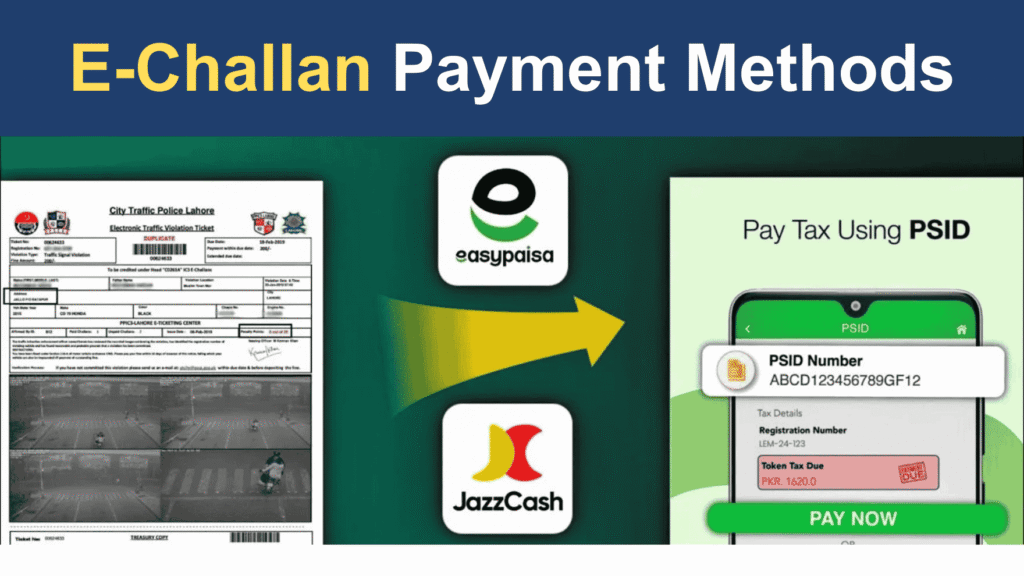
JazzCash E-Challan Payment
JazzCash, Pakistan’s leading mobile wallet, offers the fastest and most convenient way to pay e challan online. The process takes under 3 minutes and provides instant payment confirmation.
Step-by-step JazzCash payment guide:
- Open the JazzCash mobile app on your smartphone
- Log in with your JazzCash mobile account PIN
- Navigate to “Payments” section from the main menu
- Select “Government Payments” or “Traffic Challan”
- Choose “PSCA E-Challan Punjab” from the payment options list
- Enter your PSID number (found on your e-challan receipt)
- Alternatively, enter your vehicle registration number if PSID option available
- Verify the challan details displayed (violation type, amount, vehicle info)
- Confirm the payment amount (challan fine + JazzCash transaction fee)
- Enter your JazzCash PIN to authorize payment
- Save the payment confirmation SMS and receipt
- Screenshot the receipt for your records
Alternative: USSD code method (without smartphone app)
- Dial *786# from your Jazz number
- Follow on-screen prompts to navigate to Government Payments
- Select Traffic Challan payment option
- Enter PSID or vehicle registration when prompted
- Confirm payment with PIN
Transaction charges: JazzCash typically charges Rs. 0-25 for government payment transactions (check current rates).
Payment confirmation: You’ll receive an immediate SMS confirmation with transaction ID. Payment reflects on PSCA portal within 24-48 hours.
Easypaisa Traffic Challan Payment
Easypaisa, another widely-used mobile wallet in Pakistan, provides simple e-challan payment through its app and retail shop network.
Step-by-step Easypaisa mobile app payment:
- Launch the Easypaisa mobile app
- Sign in with your Easypaisa account credentials
- Tap on “Government Payments” icon
- Select “Traffic E-Challan” or “PSCA Challan”
- Input your PSID number or vehicle registration number
- Review displayed challan information for accuracy
- Confirm the total payable amount (fine + service charges if any)
- Authenticate payment with Easypaisa PIN or biometric
- Download the digital receipt from the app
- Save payment confirmation SMS received
Payment at Easypaisa shops:
- Visit any Easypaisa retail shop/franchise
- Provide your PSID number or vehicle registration to the agent
- Agent will verify your challan and amount
- Pay cash to the agent (challan amount + shop service charges, typically Rs. 20-50)
- Collect printed payment receipt
- Keep receipt until payment reflects online (24-48 hours)
Transaction charges: Mobile app payments usually have zero or minimal fees (Rs. 0-10), while shop payments include agent commission (Rs. 20-50).
Verification: Check your e-challan status online after 48 hours to confirm payment clearance.
Bank Account/Online Banking
1-Link payment system connects major Pakistani banks, allowing you to pay traffic e-challans directly through your bank account using online banking or mobile banking apps.
Participating banks include:
- Bank of Punjab (primary PSCA banking partner)
- National Bank of Pakistan (NBP)
- Habib Bank Limited (HBL)
- MCB Bank
- Allied Bank Limited (ABL)
- United Bank Limited (UBL)
- Meezan Bank
- Faysal Bank
- And most other commercial banks with online banking
Online banking payment process (generic steps—varies by bank):
- Log in to your bank’s online banking portal or mobile app
- Navigate to “Bill Payments” or “Government Payments” section
- Select “Traffic Challan” or “PSCA E-Challan” from biller list
- Enter your consumer number (PSID or vehicle registration)
- System fetches your pending challan details
- Verify information and click “Pay”
- Authorize with transaction PIN or OTP
- Download payment receipt
- Note the transaction reference number
Bank of Punjab special service: As the official PSCA banking partner, Bank of Punjab offers dedicated PSCA challan payment counters at major branches. You can visit in person, provide your PSID, and pay via cash or account transfer without charges.
Transaction charges: Most banks charge Rs. 0-50 for government payment transactions. Check your bank’s fee schedule.
Processing time: Online banking payments typically reflect within 24 hours on PSCA portal.
ATM Payment:
If you prefer not to use mobile wallets or online banking, ATM challan payment is available at selected banks’ ATM networks.
Banks supporting ATM challan payment:
- Bank of Punjab ATMs (most extensive support)
- NBP ATMs
- HBL ATMs (selected machines)
ATM payment process (Bank of Punjab example):
- Visit any Bank of Punjab ATM
- Insert your ATM debit card
- Enter your ATM PIN
- Select “Other Services” or “Bill Payments” from main menu
- Choose “Government Payments” option
- Select “PSCA Traffic Challan”
- Enter your PSID number using ATM keypad
- Verify challan details displayed on screen
- Confirm payment amount
- Authorize transaction
- Collect printed receipt from ATM
- Keep receipt as proof of payment
Advantages: 24/7 availability, no smartphone needed, instant receipt.
Limitations: Not all ATMs support this feature—look for Bank of Punjab or NBP ATMs for best availability.
NADRA E-Sahulat Centers:
NADRA e-Sahulat centers provide in-person payment options for citizens who prefer physical transaction points or lack access to digital payment methods.
Payment process at e-Sahulat centers:
- Locate nearest NADRA e-Sahulat center (available in most cities)
- Bring your CNIC and challan details (PSID or vehicle registration)
- Inform the agent you want to pay PSCA traffic challan
- Agent will search your challan in the system
- Verify challan details shown on agent’s screen
- Pay the challan amount in cash to agent
- Agent will process payment through e-Sahulat system
- Receive printed payment receipt
- Keep receipt until online verification (48 hours)
Documents required:
- Original CNIC (must match vehicle registration owner)
- Challan PSID number or vehicle registration number
- Cash payment
Service charges: NADRA e-Sahulat typically charges Rs. 30-100 as service fee depending on transaction amount.
Center locations: E-Sahulat centers are available in all major cities with 30-50 centers in larger cities like Lahore and Faisalabad.
Payment Portal Direct (Credit/Debit Card)
Some implementations of the PSCA payment portal may offer direct card payment functionality. Availability varies, so check the official portal at payment.psca.gop.pk or echallan.psca.gop.pk.
If available, the process typically involves:
- Visit PSCA payment portal
- Enter your challan PSID number
- Select “Pay by Card” option
- Enter credit/debit card details (Visa, Mastercard)
- Complete 3D Secure authentication
- Receive immediate payment confirmation
- Download digital receipt
Security measures: Look for HTTPS connection, SSL certificate, and secure payment gateway logos. Official PSCA portals use bank-grade encryption.
After Payment: Confirmation & Verification:
Once you’ve completed payment through any method:
Immediate actions:
- Save payment receipt (digital screenshot or physical copy)
- Note the transaction ID or reference number
- Save payment confirmation SMS
Verification (24-48 hours later):
- Revisit echallan.psca.gop.pk
- Check your challan status using PSID or vehicle number
- Status should change to “Paid” or challan should disappear from pending list
- If payment doesn’t reflect after 48 hours, contact PSCA helpline with transaction details
Record keeping:
- Store payment receipts for at least 2 years
- Keep digital copies in email or cloud storage
- You may need receipts for:
- Vehicle registration renewal
- Token tax clearance
- Legal disputes or wrong challan claims
- Insurance purposes
Reprint options: If you lose your receipt, most payment methods allow transaction history access through their apps/portals for reprinting.
Why Check Your PSCA E Challan Regularly?
Many vehicle owners only check for e-challans when they need to renew their registration or receive an unexpected court notice. However, proactive regular checking offers significant benefits and can save you money, time, and legal complications.
Avoid Accumulated Penalties:
Late payment penalties increase your financial burden substantially. Punjab’s Motor Vehicle Rules impose escalating late fees on unpaid traffic challans.
Penalty structure:
- Days 1-15: Original fine amount only
- Days 16-30: Original fine + 10% late fee
- Days 31-60: Original fine + 25% late fee
- Days 61-90: Original fine + 50% late fee
- Beyond 90 days: Original fine + 100% late fee + potential legal action
Example calculation: Original speeding fine: Rs. 2,000
- Paid within 15 days: Rs. 2,000
- Paid on day 40: Rs. 2,000 + Rs. 500 (25%) = Rs. 2,500
- Paid on day 100: Rs. 2,000 + Rs. 2,000 (100%) = Rs. 4,000
If you have multiple unpaid challans, these penalties multiply. A person with 5 violations totaling Rs. 10,000 could end up paying Rs. 20,000 or more if ignored for 3+ months.
Checking every 2-4 weeks ensures you catch violations early and pay the minimum amount without late fees.
Vehicle Registration Renewal Issues:
Unpaid traffic challans block your vehicle registration renewal process—one of the most common problems vehicle owners face at Excise & Taxation offices.
How it works:
- When you apply for token tax renewal or registration renewal, the Excise system automatically checks for pending challans
- If any PSCA e-challans appear as unpaid, your renewal application is rejected
- You must clear all challans before proceeding
- This can cause last-minute stress if your registration is expiring soon
Token tax implications: Vehicle token tax must be renewed annually. The Excise & Taxation Department has integrated systems with PSCA, making challan clearance mandatory for:
- Annual token tax payment
- Ownership transfer (vehicle sale/purchase)
- Registration renewal after 5/10/15 years
- Duplicate registration book issuance
Real scenario: Imagine discovering 3 unpaid challans totaling Rs. 6,000 on the day your token tax expires. You’ll need to:
- Pay all challans immediately
- Wait 24-48 hours for payment to reflect in the system
- Return to Excise office during your extended wait
- Potentially face additional late token tax penalties
Solution: Check monthly, especially in the 2 months before your token expiry date, to ensure clean records.
Peace of Mind and Family Safety
Beyond financial and legal benefits, regular checking provides psychological peace and promotes safer driving habits.
Proactive awareness:
- You know your exact violation status at all times
- No surprise challans when you need clearance
- Ability to plan finances (set aside money for any fines)
- Reduced anxiety about potential unknown issues
Prevent family surprises: If multiple family members drive your vehicles, regular checking helps you:
- Identify which driver caused which violation
- Have constructive conversations about safe driving
- Take corrective action (training, route changes)
- Prevent accumulation of violations from careless driving
Safety feedback loop: When you check and discover violations, it serves as feedback:
- “I got a speeding ticket on Canal Road” → Drive slower there
- “Red light violation at X intersection” → Be more cautious at signals
- “Helmet violation” → Always wear helmet
This awareness naturally improves driving behavior, making roads safer for everyone.
Recommended checking schedule:
- Individual vehicle owners: Once every 2-4 weeks
- Multiple vehicle families: Monthly check by CNIC
- Commercial fleet operators: Weekly checks per vehicle
- Before any Excise office visit: Immediate check
- After any incident where you’re unsure about violation: Within 3 days
Set reminders: Use your phone calendar to set recurring reminders: “Check PSCA E-Challan” every 3rd Saturday, for example.
How to Download PSCA E-Challan Copy:
Having a digital or printed copy of your e-challan is essential for payment, record-keeping, and potential disputes. The PSCA system makes downloading your challan receipt straightforward.
Step-by-Step Download Process
- Check your challan online using any of the three methods (vehicle registration, CNIC, or PSID) as explained in the “How to Check E-Challan Online” section above.
- Locate the challan you want to download in the search results. The portal will display all pending challans in a table or list format.
- Find the download/print button next to each challan entry. Common button labels include:
- “Download PDF”
- “Print Challan”
- “View Details”
- PDF icon symbol
- Click the download button. The system will generate your e-challan in PDF format. Depending on your browser settings:
- PDF opens in new browser tab
- Automatic download to Downloads folder
- Prompt asking where to save
- Save the PDF to your device:
- Choose a descriptive filename: “PSCA_Challan_[VehicleNo]_[Date].pdf”
- Save to organized folder (create “Vehicle Documents/Challans” folder)
- Consider saving to multiple locations (computer + cloud)
- Verify the PDF content by opening it. Ensure all information is visible and readable.
- Print if needed: Open the PDF and print using any printer. Keep physical copy in your vehicle documents folder.
What Information Appears on E-Challan:-
Your official PSCA e-challan PDF contains comprehensive details required for payment and legal validity:
Header section:
- Punjab Safe Cities Authority logo and official seal
- Document title: “Electronic Traffic Challan” or “E-Challan Receipt”
- PSID (Personal Safety ID) prominently displayed
Vehicle information:
- Vehicle registration number
- Vehicle type (motorcycle, car, commercial)
- Chassis number (if available)
- Engine number (if available)
- Owner’s name (as per registration)
- Owner’s CNIC number
Violation details:
- Date and time of violation (exact timestamp)
- Location of violation (specific road/intersection)
- Type of violation (overspeeding, signal violation, etc.)
- Detailed description of offense
- Applicable law section (Motor Vehicle Ordinance reference)
- Photographic evidence (embedded image showing violation)
- Speed recorded (for speeding violations)
- Posted speed limit (for comparison)
Financial information:
- Original fine amount
- Late fee (if applicable)
- Total payable amount
- Last date for payment without penalty
- Currency (PKR – Pakistani Rupees)
Payment instructions:
- Payment methods available (JazzCash, Easypaisa, bank, etc.)
- Payment portal URL (echallan.psca.gop.pk)
- PSID to use for payment
- Bank account details (for direct transfer methods)
Legal notices:
- Consequences of non-payment
- Right to appeal information
- Contact information for disputes
- Court proceedings warning (for serious violations)
Footer section:
- PSCA contact helpline
- Official website
- Issue date of challan
- System-generated verification code/QR code
- “This is a computer-generated document” statement
Conclusion: Stay Compliant, Drive Safe, Check Regularly:
The PSCA E Challan Punjab system represents a significant advancement in traffic management and public safety across the province. By leveraging cutting-edge technology, the system ensures fair, transparent, and efficient enforcement of traffic rules while promoting safer roads for all citizens.
Key Takeaways:
Check regularly: Verify your e-challan status every 2-4 weeks to avoid late fees and complications
Pay promptly: Clear pending challans within 15 days to avoid 10-100% penalty fees
Keep records: Save all payment receipts and e-challan PDFs for at least 2 years
Know your rights: Understand the appeal process for wrong or disputed challans
Multiple payment options: Use JazzCash, Easypaisa, banks, ATMs, or e-Sahulat centers for convenience
City coverage expanding: More Punjab cities joining Safe City network continuously
Drive safely: Following traffic rules keeps you, your family, and other road users safe
The system works when citizens participate responsibly checking challans, paying promptly, and most importantly, following traffic rules to prevent violations in the first place. PSCA’s technology can enforce rules, but individual commitment to safe driving creates truly safe roads.
Remember: Every e-challan is not just a fine it’s feedback about potentially dangerous behavior that puts lives at risk. Use challan notifications as reminders to improve driving habits and contribute to safer Punjab roads.
About pscaechallanpunjab.com: We are an independent information resource dedicated to helping Punjab vehicle owners understand and navigate the PSCA e-challan system. While we provide comprehensive guidance based on official sources, always verify critical information with the official PSCA portal at psca.gop.pk or helpline 15.
Drive Safe. Stay Informed. Check Regularly.
PSCA E Challan Punjab – Your Complete Resource for Traffic Fine Verification
Frequently Asked Questions
Find answers to common questions about PSCA E-Challan Punjab